
The referral, photographed.
The appointment, offered.
Ordia reads the imaging referral photographed by the patient, extracts the prescribed exam, the indication, the referring physician, the date and the urgency, then offers appointment slots and books them in the centre’s schedule.

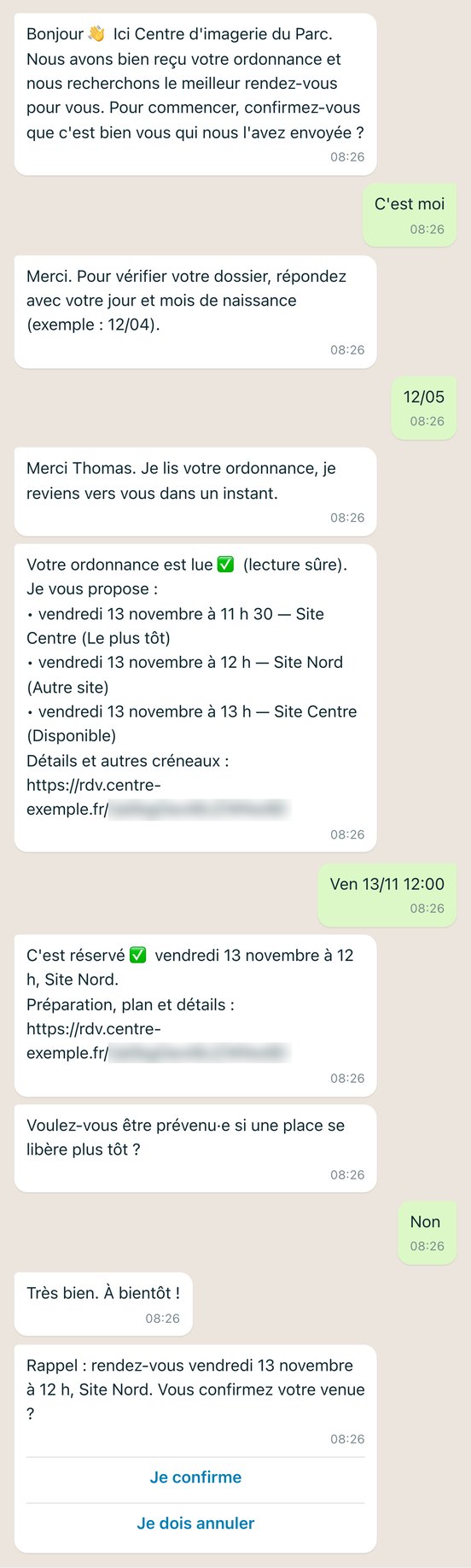


From the photo of the referral to the reminder before the appointment.
No more waiting on the phone: everything happens in writing, on the channel the patient has chosen.
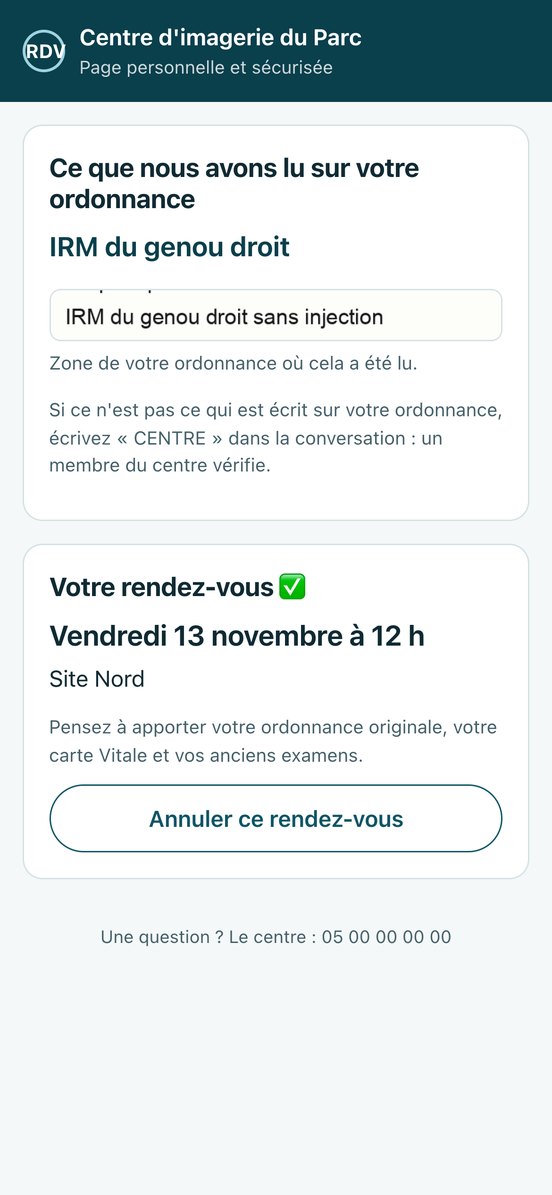
The details stay on a personal, secure page: what Ordia read on the referral, with the area the information comes from, then the appointment.
- 1They photograph their referral
From the button on the centre’s website, they choose WhatsApp, SMS or email. An acknowledgement is sent straight away.
- 2They confirm their identity
They do so before any exchange about their appointment.
- 3Ordia reads the referral
Meanwhile: prescribed exam, indication, referring physician, date and urgency.
- 4They choose a slot
Three slots from the centre’s schedule are offered to them.
- 5The appointment is confirmed
Straight away, or after validation by the front desk, depending on how the referral was read.
- 6They receive a reminder
A reminder two days before. The waitlist can offer them a slot that has opened up earlier.
Uncertain cases always go to the front desk, with everything that has been captured.
A work queue brings together the referral, Ordia’s reading, the contact details and the conversation. The medical secretary validates, corrects the procedure or calls the patient back.
Ordia takes simple requests off the front desk’s hands; uncertain cases and any medical question stay with your team.
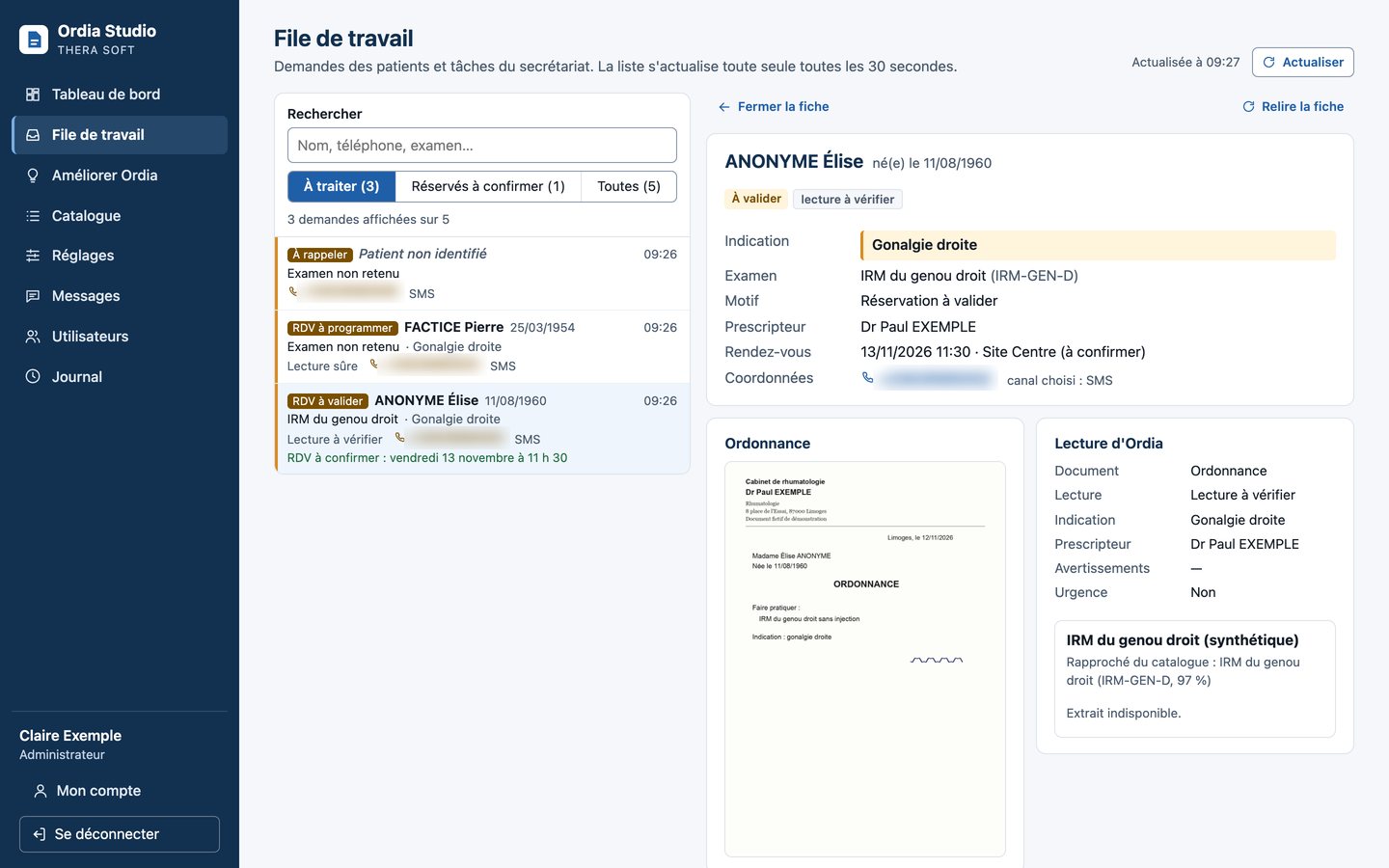
A reading you can check, safeguards throughout.
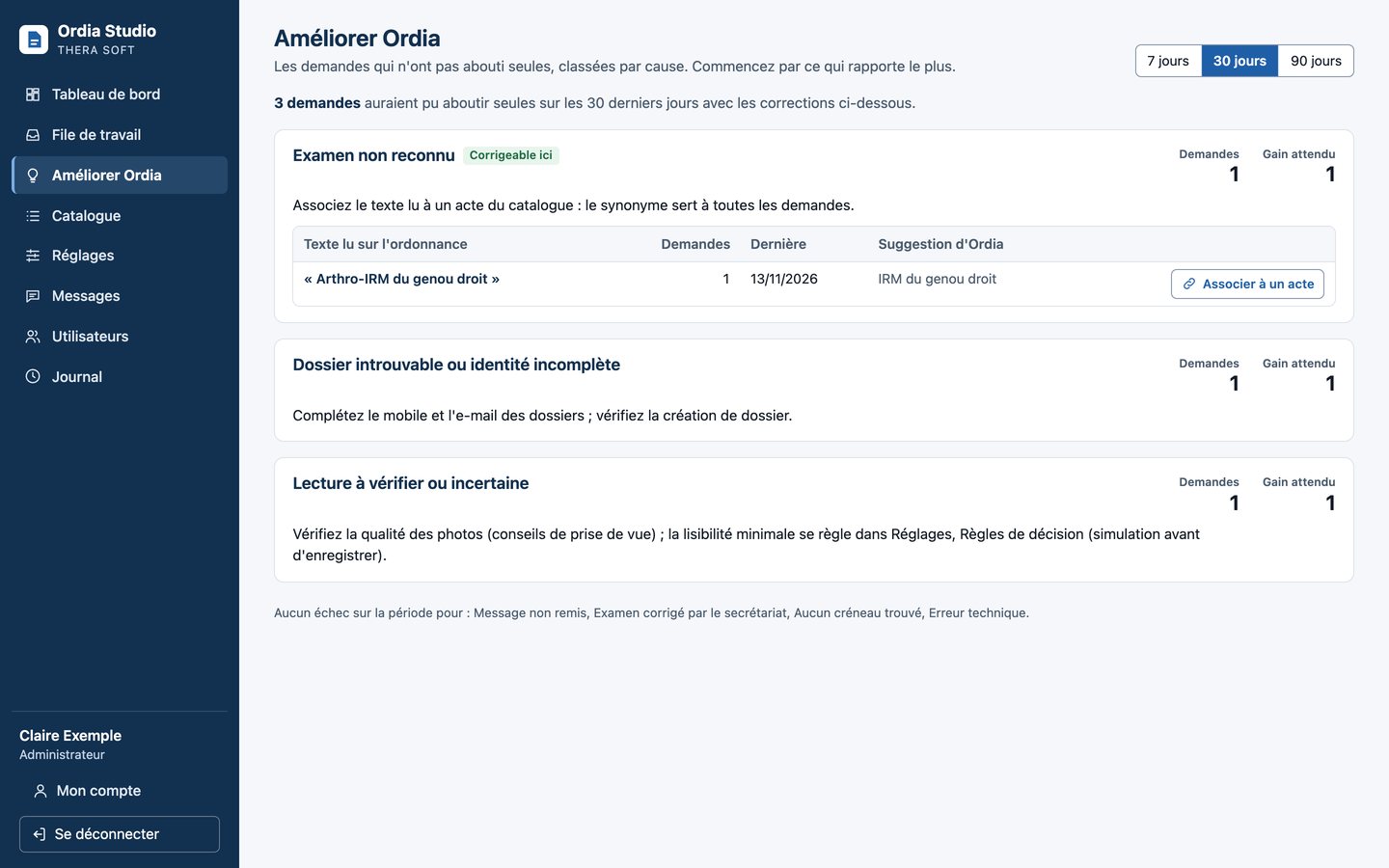
Management and lead users stay in control.
- Management dashboard: appointments booked autonomously, cases taken over, processing time, cost avoided.
- Improve Ordia: failures are corrected in one click.
- Versioned settings, with a simulation before they are applied.
- Editable messages, in your own words.
- Named accounts, with two-factor authentication or the facility’s directory.
The referral is read on your premises.
Ordia is installed on the customer’s premises, on the THERA EDGE box.
CPU only, no graphics card. No external calls while the referral is being read.
Personal data encrypted at rest, no personal data in the logs.
Strict isolation between customers.
Messages to patients go through the operators chosen by the centre (WhatsApp, SMS, email), with no health data in minimal mode. Ordia is designed for data minimisation.
Ordia reads, structures and suggests. It makes no clinical decision.
Uncertain cases, urgency, pregnancy, contrast agent allergy, contrast-enhanced exams and referrals with several exams always go through the front desk; the radiologist then validates the exam during protocoling, as today.
Ordia, on your own referrals.
Demo available, pilot sites in preparation. Talk to the team that develops it, in Limoges.