
Technical fee forms signed on a tablet, read and filed automatically.
A technical fee (forfait technique) is the flat fee paid by the French national health insurance for the use of MRI, CT and PET equipment. Your RIS prints the form, the patient signs it on a tablet at reception, and MediGED FT reads, checks and files the document. All your team has left to do is prepare the batch statements.
From the reception desk to the health insurance fund, with no re-keying.
Every technical fee follows the same path, and each step is visible in MediGED FT: at any moment you know how many forms have been printed, signed and saved.
- 1ReceptionPrinted by the RIS
Your RIS prints the form as usual. MediGED Poste picks it up straight away on the reception workstation.
- 2PatientSigned on a tablet
The form appears on the tablet in real time, and the patient signs it directly on screen.
- 3AutomaticRead field by field
The signed PDF comes back to the workstation, which reads its 25 fields: insured person, social security number, FINESS, dates, amount.
- 4ChecksVerified before batching
The NIR check key, FINESS, dates and amounts are checked. At the slightest doubt, the form is held for verification.
- 5SubmissionGrouped into a batch statement
The technical fees join their fund’s batch statement, to the exact amount, then go out with their PETRA file.
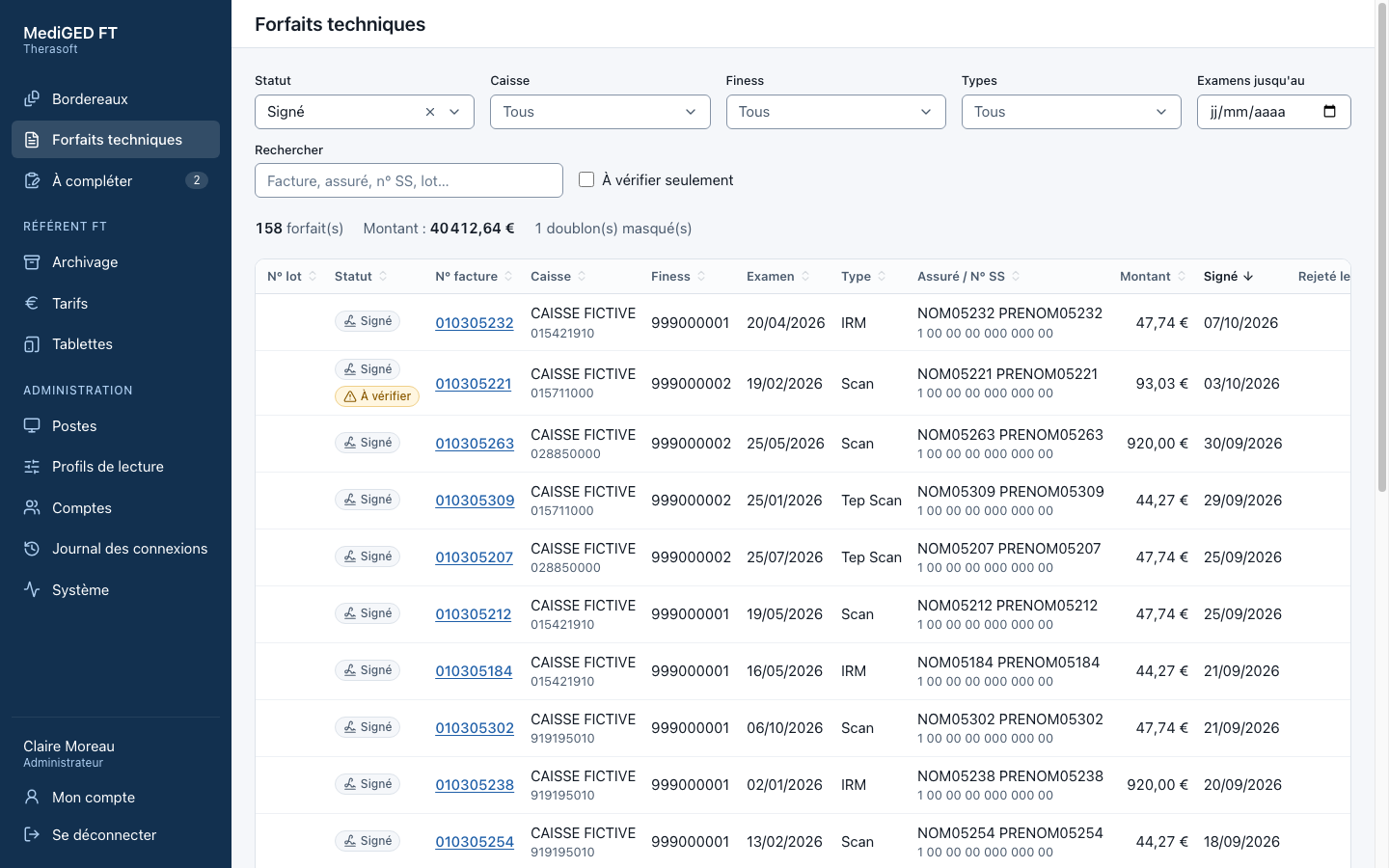
Every technical fee found in seconds.
The front desk searches by invoice, insured person, social security number or batch, filters by status, fund, FINESS or exam type, and sees the total amount of the selection.
- A clear status for every technical fee: signed, linked, printed, sent or rejected.
- The signed PDF always one click away, with the history of every change.
- Three profiles: Front desk, FT lead and Administrator, each with its own screens.
No technical fee lost, no error left unnoticed.
A new form template? Map it yourself.
You open a real document, place the zones to be read, then try the profile on recent forms before activating it. It reaches the workstations within a minute, and every version can be restored.
- Zones aligned automatically to the document text, or anchored to a label.
- PDF forms read zone by zone; forms printed as images read by character recognition.
- Compatible with technical fee forms from the Xplore and GXD5 RIS.
MediGED FT, on your own forms.
Show us your forms: we’ll give you a demonstration based on your centre’s workflow.